

Branch by condition
Check standard and custom fields. Add different actions to true and false branches.
Design workflows without code for automation-enabled Kanban modules, including Opportunities and Smart Processes. Connect conditions, actions and each branch outcome in a visual designer.
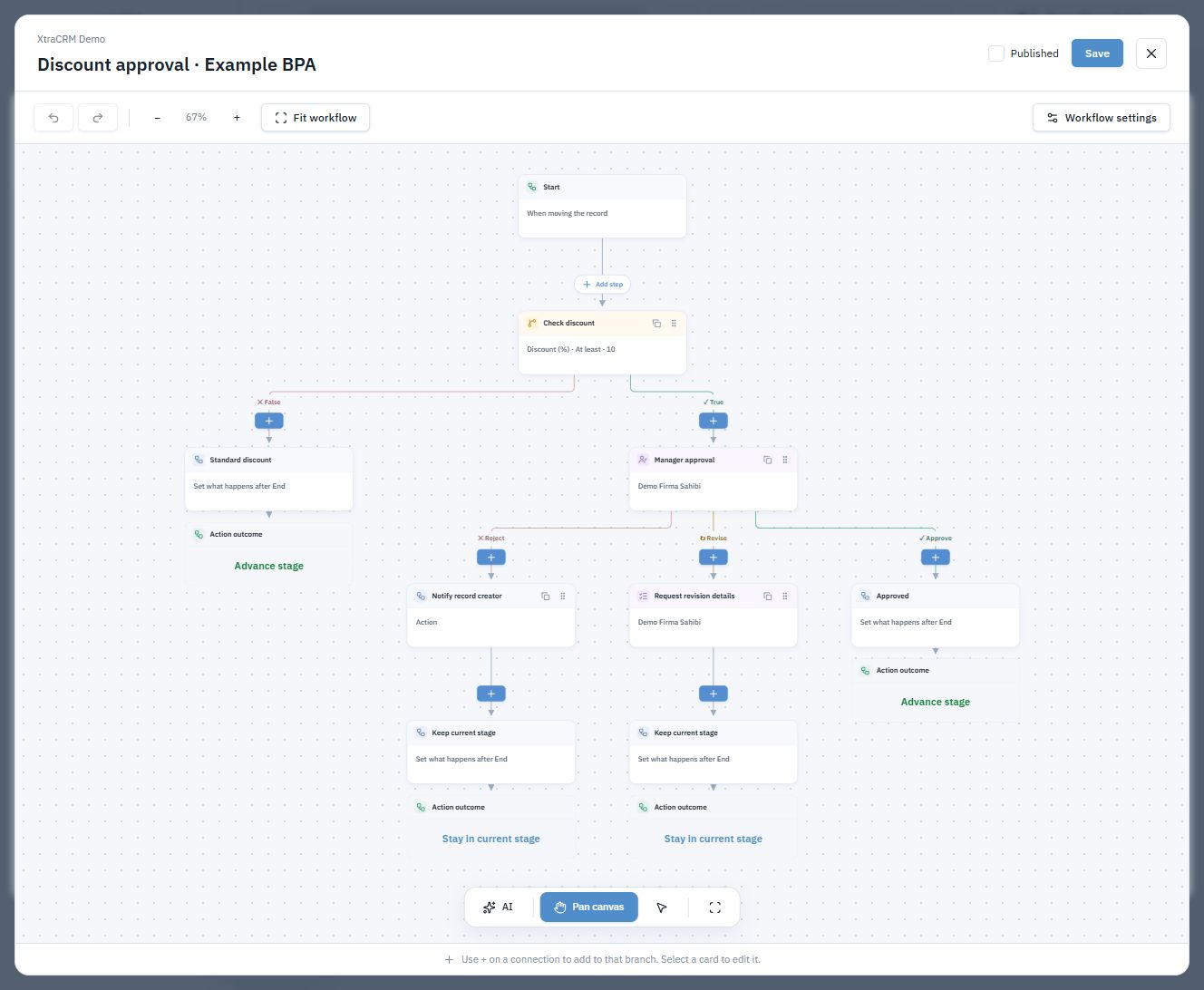
Check standard and custom fields. Add different actions to true and false branches.
Combine field updates, notifications, delays and safe calculations in one workflow.
Describe the workflow, preview the proposal and refine it. Applying a draft is separate from saving and publishing it.
Track the status and history of started runs. Authorized managers can reassign a pending task or cancel a workflow.
Check the discount when a record is being moved to a stage. Continue the transition for standard discounts; send discounts of 10% or more to a manager.
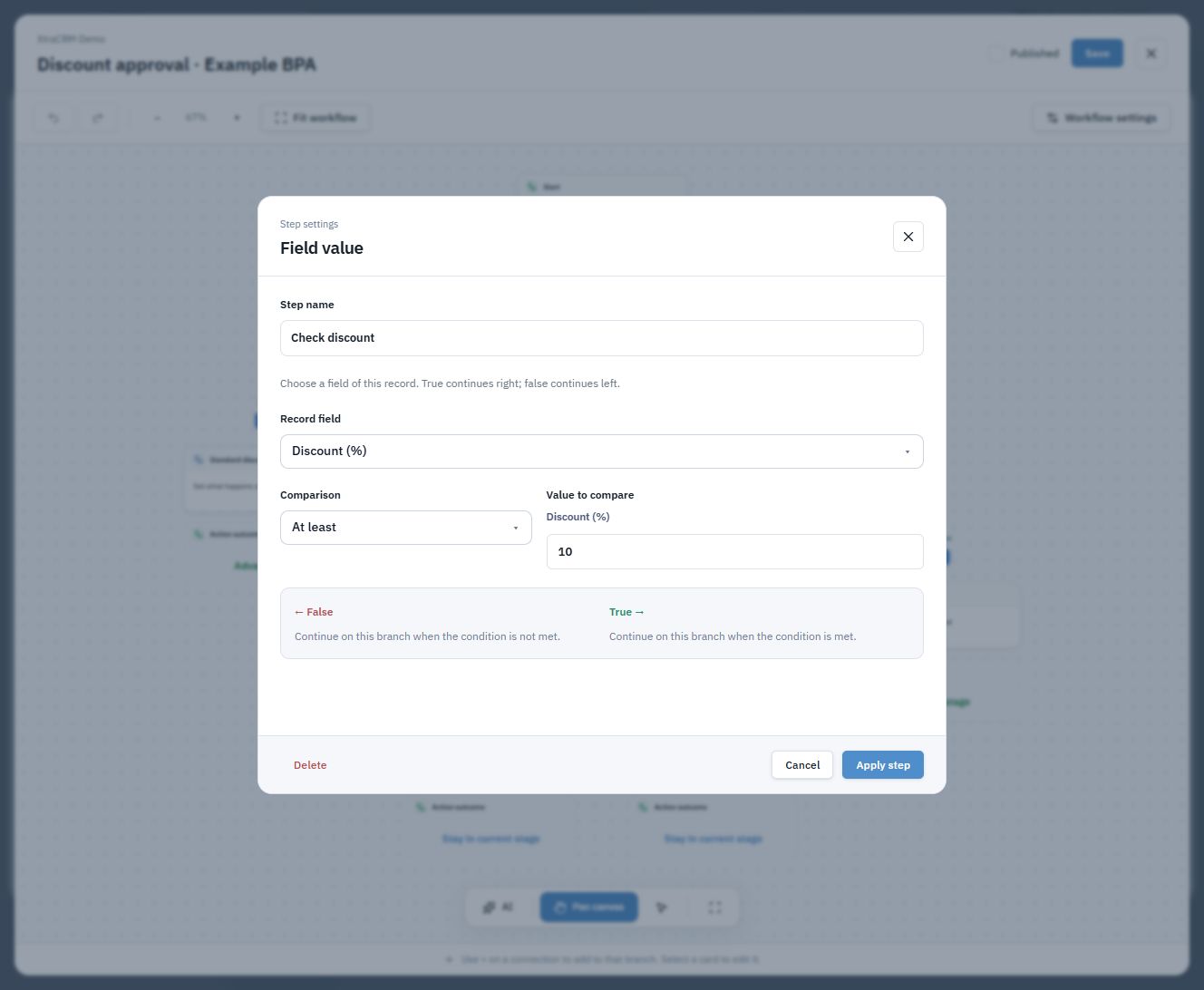
At End, choose to keep the current stage, resume the pending transition or move to a selected stage. A saved design appears in run history once it is triggered on a record.
Let’s plan your workflow ↗Add a first-contact, post-proposal or reactivation set to your BPA draft. Adapt the tasks and waiting periods to your team, review the flow and publish it.
Sets create follow-up tasks for the owner, not automatic customer messages. You can configure pending follow-ups to stop when the record changes stage.
Let’s discuss your workflow