

Break work into clear steps
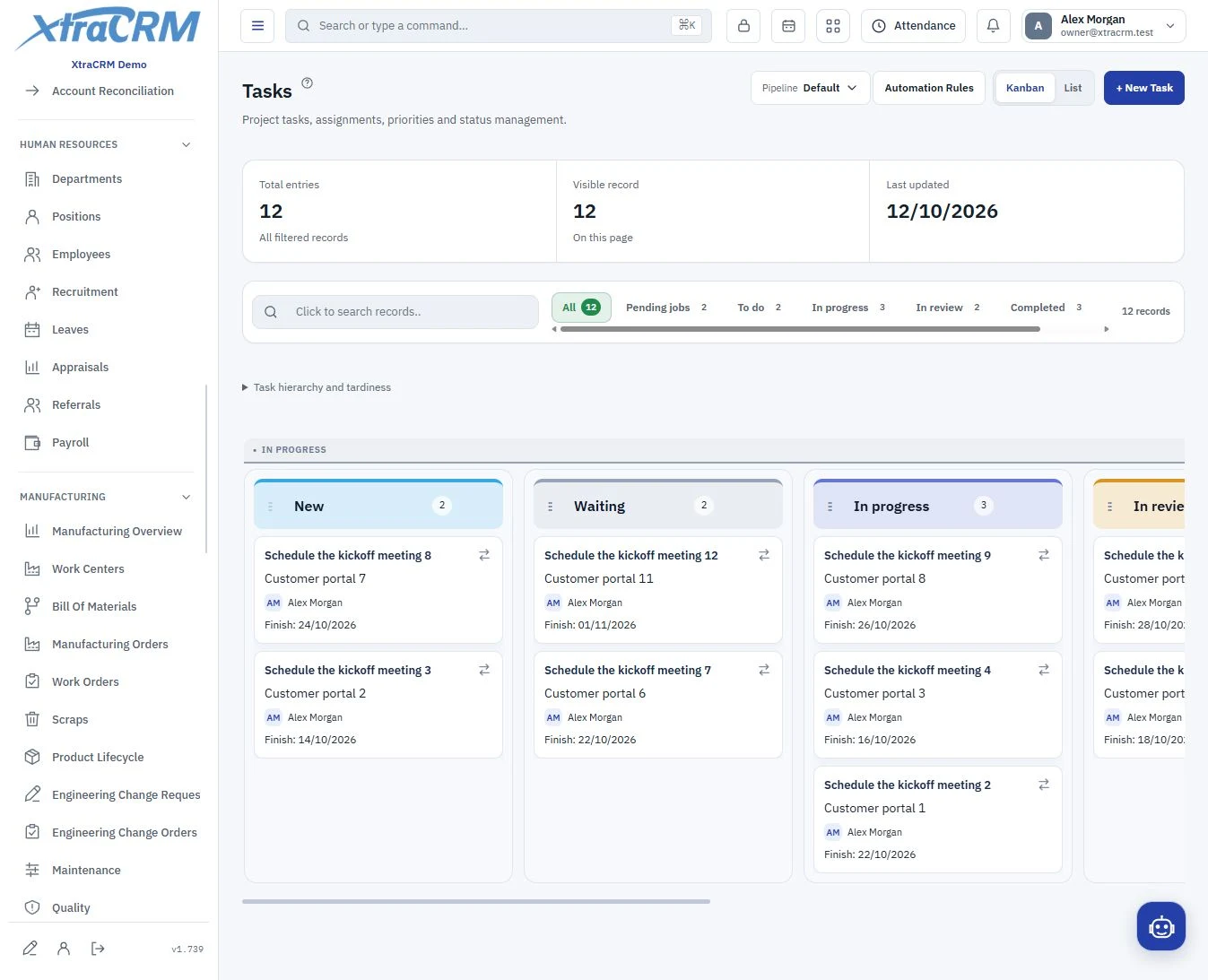
Plan projects with tasks and subtasks. Review open work in list or Kanban view using owner, priority, project and date filters.
Connect client projects, work time, appointments and billing for consulting, legal and specialist services.
Share a booking page with your company branding. Visitors choose the nearest available day and time. Configure the appointment pipeline, owner, duration, minimum notice and booking horizon.
Availability respects working hours and existing bookings. Notifications go to the visitor and selected company users through your company email settings.
Let’s discuss your workflowTurn a customer commitment into manageable work for your team. Follow projects, tasks, work time, support and appointments as connected parts of the same operation.
Plan projects with tasks and subtasks. Review open work in list or Kanban view using owner, priority, project and date filters.
Link time entries to their projects and tasks. Review working time through the approval process and explain completed work using its records.
Track support statuses and ownership. Use planning and appointment records to manage workloads alongside time reserved for customers.
Explore the role of each section. All paid plans include all modules; plans differ by user count and usage limits.
Track customers, tasks and milestones in one project.
Review project delivery targets and progress.
Manage tasks and subtasks with assignees and dates.
Track work minutes through approval and billing workflows.
Track tickets with queues, assignments and SLA targets.
Combine shifts and resource occupancy in a calendar.
Define employee and vehicle resource capacity.
Manage appointments with availability, approval and rescheduling.
Define appointment types with duration and availability rules.
Track projects, tasks and timesheets to review the progress of service work.
Create a public booking page and share its link. Customers choose from available days and times.
Track tickets, queues and owners in the helpdesk. Available actions follow user permissions.
All modules are included in every plan except Free. Plans differ by user count, storage, web form, smart process and automation rule limits. User actions depend on the permissions set by the company administrator.
Technical support is included in every plan, including Free. Contact our support team with questions or for help using XtraCRM.
Your cloud account is ready to use as soon as registration is complete. Installation of an on-premise license on your own server takes 2–3 days.
Sensitive information, such as WhatsApp message content and integration credentials, is stored encrypted and used securely during authorized operations. You decide which information your team can access.
Read the privacy notice