The source behind stock quantities
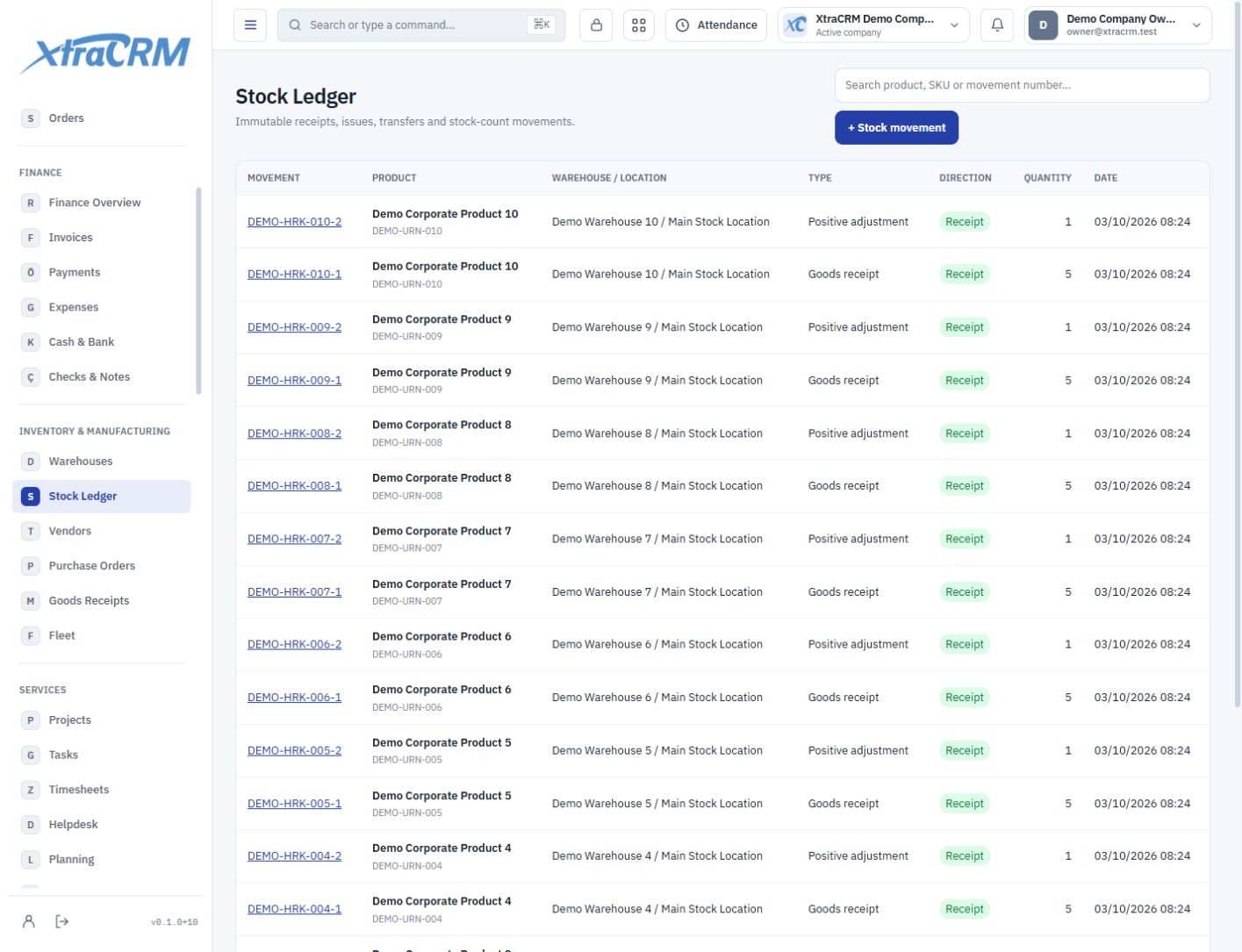
Define warehouses and review product receipts and issues in the stock ledger. See the warehouse and source operation behind each movement.

Connect warehouses, stock movements, suppliers, purchase orders, receipts and fleet records.
Which warehouse holds a product, what is expected from a supplier, and who has a vehicle? Track materials and vehicles with their owners and movement history.
Define warehouses and review product receipts and issues in the stock ledger. See the warehouse and source operation behind each movement.
Connect suppliers, purchase orders and goods receipts. Follow expected and received products through their linked records.
Manage vehicle registration, usage, maintenance, insurance and inspection records. Connect employee assignments and returns to the vehicle’s history.
See each section’s role before choosing your plan. The plan comparison shows what is included and what is not.
Manage warehouses and product warehouse relationships.
Review product stock movements and balances.
Track vendor information and purchasing relationships.
Track purchase orders by line item.
Connect received goods to orders and warehouses.
Track vehicles, assignments, maintenance and periodic records.
Inventory and manufacturing are separate module groups. Review warehouse, stock, supplier and fleet coverage under Inventory in the plan comparison. Select manufacturing coverage separately if you need it.
Module coverage varies by plan. Compare the full module tree on the pricing page. Your company administrator also controls who can view, create, edit or delete records.